The 60-second version:
- Read the lock message. It says if the lock is temporary or permanent.
- Temporary? Wait for the lock to end, delete any third-party Snapchat apps, and update Snapchat.
- Then unlock at accounts.snapchat.com and tap Unlock.
- Permanent? Look for Appeal Decision in the app. Reviews can take up to 30 days.
- Never pay anyone who promises to unlock your account.
For many creators and local businesses, Snapchat is a direct line to younger customers. A locked account cuts that line. The good news: many locks are temporary. Here’s what to do, based on Snapchat’s own support pages.
Why Snapchat locks accounts
Snapchat’s support site lists these reasons:
- Content or behaviour that goes against the Community Guidelines or Terms of Service.
- Suspicious activity, like sending lots of friend requests to many people in a short time.
- A compromised account, locked to protect you.
- Third-party apps, tweaks or plugins used to access Snapchat (Snapchat names examples like Wicked and IOTA).
- Logging in from a device that was linked to a banned account.
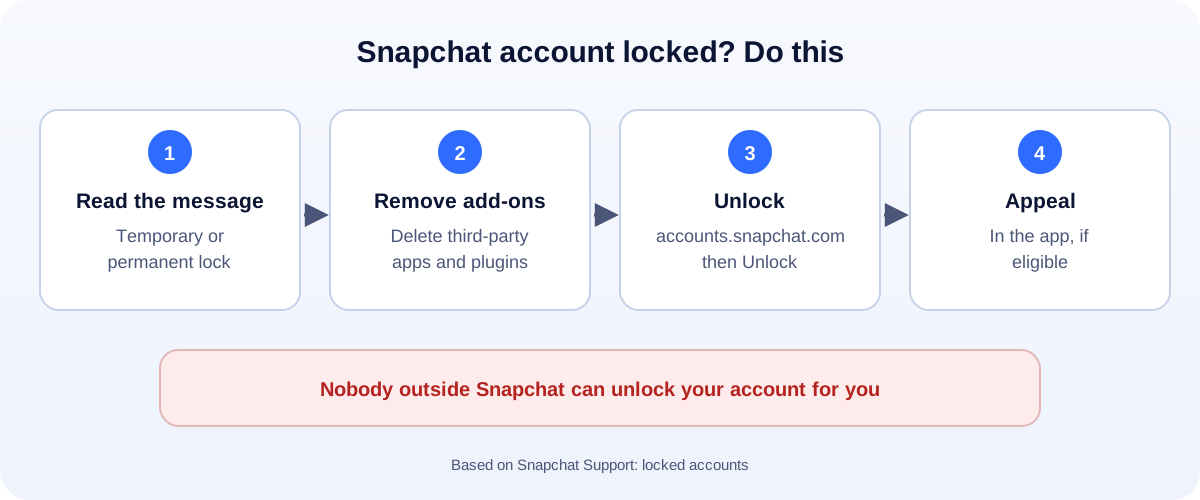
Temporary lock: how to unlock
- Check how long the lock lasts. The message in the app, or the email linked to your account, tells you. Some locks ask you to wait 48 hours before trying again.
- Remove unofficial apps and plugins, and update Snapchat from the App Store or Google Play.
- Go to accounts.snapchat.com, log in and select Unlock. You can also log in through the app.
- Secure your account once you’re in: change the password and turn on two-factor authentication.
If unlocking fails, don’t try over and over in a few minutes. Wait, then try again.
Permanent lock: how to appeal
A permanent lock means Snapchat found activity that breaks its rules. You can’t unlock it yourself.
- Log in and look at the pop-up. If you’re eligible, it shows Appeal Decision.
- Follow the steps and explain briefly and honestly.
- Wait. Snapchat says reviews can take up to 30 days.
Snapchat says the appeal in the app is the only legitimate way to appeal. Support tickets elsewhere won’t speed it up.
Hacked first, then locked?
If someone else got into your account, the lock may be Snapchat protecting you. Use Snapchat Support in the app or on the support site and follow the steps for compromised accounts. Then secure the email and phone number linked to Snapchat.
Scams to avoid
- “Unlock services” in DMs, comments or on TikTok and Instagram. They take money and often your login.
- Fake support numbers. Snapchat support runs through its app and website.
- “Free followers” apps that ask for your password. They’re a common reason accounts get locked in the first place.
How to avoid another lock
- Only use the official Snapchat app. No tweaked versions or add-ons.
- Add friends slowly. Hundreds of requests in a day looks like spam.
- Two-factor authentication on Snapchat and your email.
- Don’t share your login with friends or “managers”.
- Follow the Community Guidelines, especially for business promotions.
Using Snapchat for business?
Don’t let one locked account stop your marketing. Keep a website and a Google Business Profile up to date, and give customers a direct way to reach you with a WhatsApp chat link. More account guides: all our account recovery guides.
How UMA can help
We run social media for small businesses, set accounts up securely, and build channels you own alongside them. We work remotely with U.S. small businesses and others worldwide. See our social media marketing service or get in touch.
Only Snap decides whether an account is unlocked. This guide is general information based on Snapchat Support.