

The 60-second version:
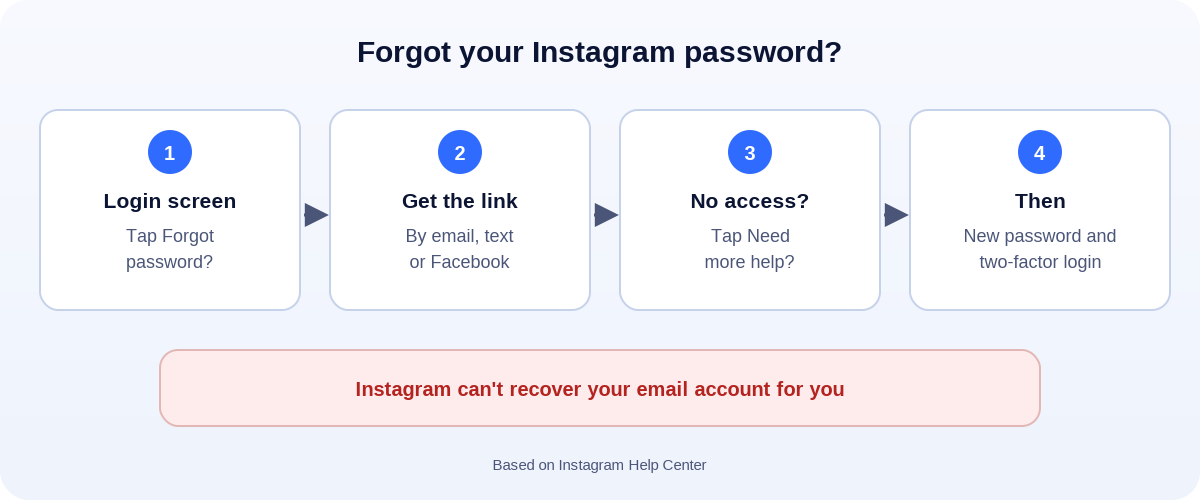
- On the login screen, tap Forgot password?
- Enter your username, email or phone, then use the link or code Instagram sends.
- Email not arriving? Check spam, then try text message or Facebook instead.
- No access to your email or phone? Tap Need more help? and follow the steps.
- Once in: set a new password and turn on two-factor login.
You’re locked out of Instagram because the password just won’t come back to you. It happens to everyone, and the fix is usually quick. Here’s how to reset it, including what to do when the reset email never arrives or you’ve lost access to your old email. It’s all based on Instagram’s Help Center.
The standard reset
- Open Instagram and tap Forgot password? on the login screen (on a computer, Forgot password? under the login box).
- Enter your username, email or phone number.
- Choose where to get the link or code: email, text message, or Facebook if your accounts are linked.
- Open the newest link, or enter the code, and set a new password.
Use a password you don’t use anywhere else. A password manager makes this easy.
The reset email never arrived
- Check spam, promotions and other folders.
- Make sure it’s the right email, the one actually on your Instagram account.
- Wait a few minutes before asking again, and always use the newest link.
- Try another method: text message or Facebook.
- Search your inbox for messages from Instagram to see which email it uses.
No access to your email or phone
Linked to Facebook? Choose to reset with Facebook. It’s often the quickest route.
Not linked?
- On the login screen, tap Forgot password?
- Enter the last email or phone number you used.
- Tap Need more help? and follow the on-screen steps to submit a support request.
Instagram may ask you to confirm your identity, for example with a video selfie, for accounts with photos of you.
Get your email back first, if you can. Instagram says it can’t help with your email account. If it’s Gmail, our Gmail recovery guide walks you through it.
Think someone else changed it?
If your password, email or phone changed without you, it’s not a forgotten password; your account may be hacked. Go to instagram.com/hacked and follow our hacked Instagram account guide.
Once you’re back in
- Check your email and phone on the account are current, in Accounts Center.
- Turn on two-factor login, ideally with an authenticator app.
- Log out devices you don’t recognise in Accounts Center, under Password and security.
- Save your login in a password manager.
Beware of “recovery” scams
People in comments and DMs offering to reset your password for money are scammers. Instagram’s reset and support request are free, and Instagram never asks for your password by message.
Business account on Instagram?
Add a second admin and keep your business email current, so one forgotten password doesn’t lock your shop out. Planning a fresh start instead? See how to delete your Instagram account. More help: all our account recovery guides.
How UMA can help
We run Instagram for small businesses with secure logins and backup admins, so you never lose your shop window. We work remotely with U.S. small businesses and others worldwide. See our social media marketing service or get in touch.
This guide is general information based on the Instagram Help Center. Menu names can change with app updates.