The 60-second version:
- New review not showing? Wait a few days. Google checks reviews first.
- Old reviews gone? Google’s spam filter or a policy removal is the usual cause, or the customer deleted it.
- Removed for a policy violation? Google won’t restore it.
- Think it was a mistake? Contact Google Business Profile support with your profile ID, the number of reviews missing, and when.
- To protect future reviews: collect them steadily from real customers, and never pay or reward for them.
Few things worry a business owner more than watching their review count drop. Here’s what’s actually happening, and what you can and can’t do about it.
What Google says
From Google’s help page on missing reviews (Google Business Profile Help):
- Reviews are checked against Google’s policies, and this “might take a few days,” which can delay a new review.
- Reviews are usually removed for policy violations like spam or inappropriate content, and “reviews removed for policy violations won’t be restored.”
- Google uses automated spam detection, which “may also mistakenly remove legitimate reviews.”
- In some cases, Google may temporarily turn off reviews for certain profiles or business categories.
The most common reasons reviews disappear
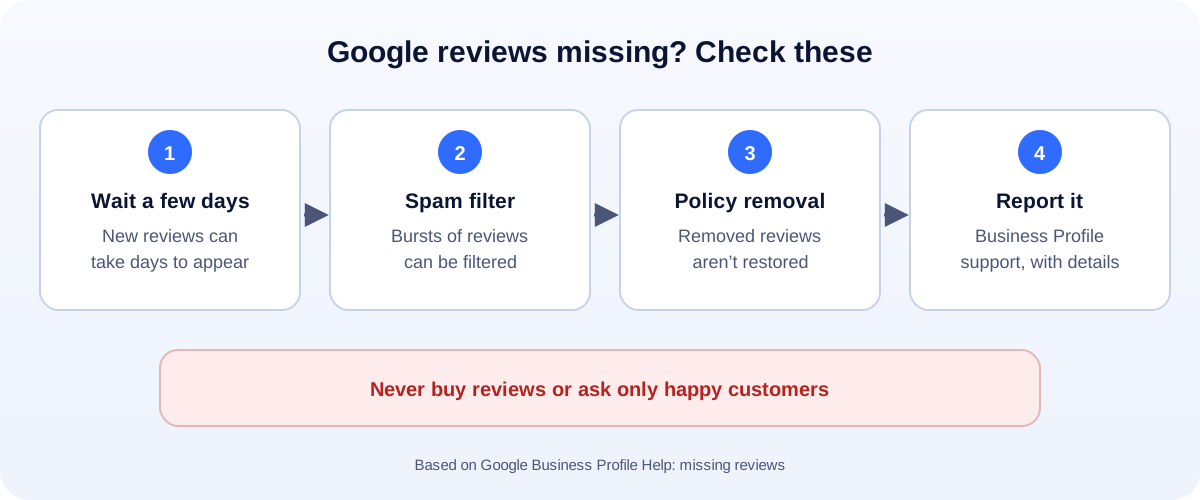
1. They’re still being checked
A brand-new review may not show for a few days. Ask the customer whether they can still see it on their own Google account. If they can, it’s likely still being processed or held by the filter.
2. The spam filter caught them
Google’s systems look for patterns that suggest fake reviews. Google doesn’t publish the exact signals, but things that commonly look suspicious include:
- Lots of reviews in a short time, for example after a big review push.
- Many short, five-star reviews from brand-new accounts.
- Many reviews posted from the same place at the same time, for example customers all reviewing on the shop tablet.
- Reviews from staff, family or friends.
3. They broke a policy
Reviews can be removed for offensive content, irrelevant content, personal information, conflicts of interest, or because they were incentivised (a discount or gift for reviewing). Google prohibits offering anything in exchange for reviews.
4. The reviewer removed them
Customers can delete or edit their reviews, and if a reviewer deletes their Google account, their reviews go with it.
5. Profile changes
Big changes to your profile, or merging duplicate profiles, can sometimes affect which reviews show. If reviews vanished right after a change, mention that when you contact support.
What you can do
- Check with the customer if a specific review is missing: can they still see it in their own Google Maps account?
- Don’t ask people to re-post the same review again and again. That can look like spam.
- Contact Google Business Profile support if you believe genuine reviews were removed. Give your Business Profile ID, the number of missing reviews and the rough dates.
- Report fake reviews that break the policies, from your Business Profile.
How to stop new reviews disappearing
- Ask every customer, steadily, rather than doing a big push once a year.
- Send a direct review link, so customers can review from their own phones in their own time.
- Never offer incentives and never ask only happy customers. Read our guide on getting more Google reviews the rule-safe way.
- Use a QR code at the counter or on receipts: our free Google review QR code generator makes one in seconds.
- Keep your profile healthy: see our Google Business Profile optimization checklist. And if things get worse, read what to do when a profile is suspended.
How UMA can help
We help local businesses build a steady, genuine flow of reviews, and keep their Google Business Profile in good shape. We work remotely with U.S. small businesses and others worldwide. See our SEO services or get in touch.
Only Google decides which reviews are shown. This guide is general information based on Google Business Profile Help.