The 60-second version:
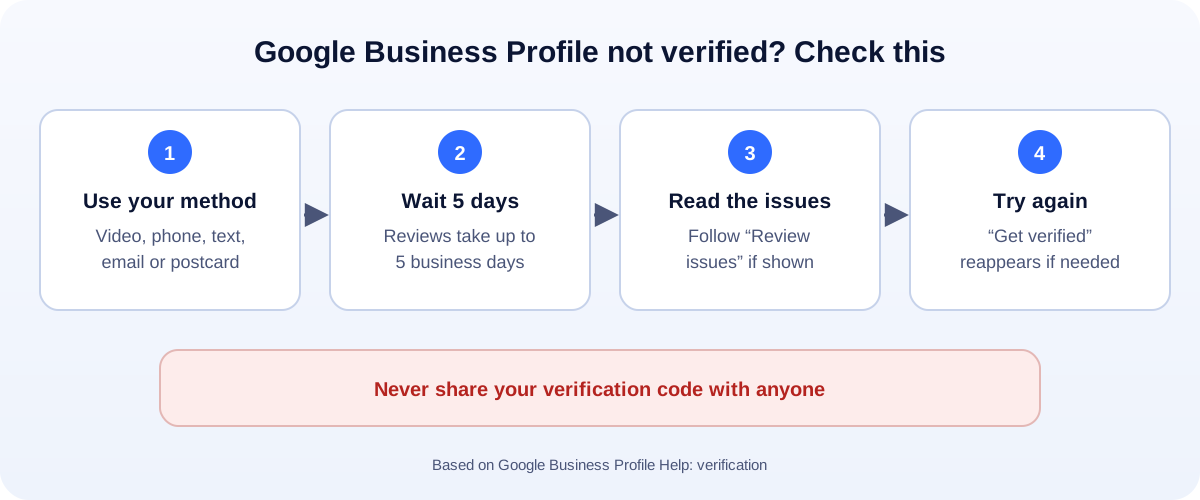
- Finish the method Google offers you. Phone, text, email, video or postcard.
- Wait up to 5 business days. That’s how long Google says reviews can take.
- Look for “Review issues” on your profile, and follow the steps.
- Check your details match your real sign, website and documents.
- “Get verified” back? It didn’t complete. Fix the issue and try again.
Until your Google Business Profile is verified, you can’t fully manage it, and it may not show up properly on Google Maps. For a local business, that’s lost calls. Here’s how verification works, why it gets stuck, and what to do.
The verification methods
Google decides which methods you can use. You can’t change them. They can include:
- Phone call or text: answer the call or open the text, then enter the code.
- Email: follow the steps sent to your business email.
- Live video call: show your location and that you run the business, with a Google support person.
- Recorded video: film your business and your proof of ownership. Our video verification guide shows exactly what to film.
- Postcard: a code comes by mail. Google says most codes arrive within 14 days.
Codes expire after 30 days. Never share them with anyone.
“Pending review”: how long to wait
After you finish a step, Google reviews what you sent. Google says this can take up to 5 business days, and in rare cases longer.
During that time:
- Don’t change your business name, address or category. Edits can restart the review.
- Don’t create a second profile for the same business.
- Watch your email for messages from Google.
Why verification gets stuck or fails
These are the common causes, based on Google’s guidelines:
- Details don’t match. The name on your profile doesn’t match your sign, website or documents.
- The video didn’t show enough. No outside sign, no tools or stock, or nothing that proves you run the business.
- Address problems. A virtual office, a coworking desk you don’t staff, or a P.O. box instead of a real location.
- Keyword stuffing in the name, like “Joe’s Plumbing Best Plumber Dallas”. Use your real business name only.
- Duplicate profiles for the same place.
What to do if it failed
- Look at your profile. If Get verified is showing again, verification didn’t complete.
- Read any “Review issues” notice and follow the steps on screen.
- Fix your details. Real business name, real address (or service area), the right category.
- Try again with the method Google offers.
- Still stuck? Contact Google Business Profile support from the Help Center.
If your profile was suspended rather than just unverified, that’s a different process. See what to do when a Google Business Profile is suspended.
Service-area businesses (no shopfront)
Plumbers, cleaners, mobile mechanics and other businesses that visit customers can still verify.
- Set a service area and hide your home address.
- Expect video verification. Show your vehicle, tools and paperwork with your business name.
- Use the same name everywhere: on your van, invoices, website and profile.
Once you’re verified
Verification is the start, not the finish. Next:
- Complete every section: hours, services, photos and a clear description. Our Google Business Profile checklist walks through it.
- Start collecting reviews steadily. Our free Google review QR code generator makes it easy.
- Add your agency as a manager, rather than sharing your Google login.
How UMA can help
We set up, verify and optimise Google Business Profiles for local businesses, and fix the details that hold verification up. We work remotely with U.S. small businesses and others worldwide. See our SEO services or get in touch.
Only Google decides whether a profile is verified. This guide is general information based on Google Business Profile Help.