The 60-second version:
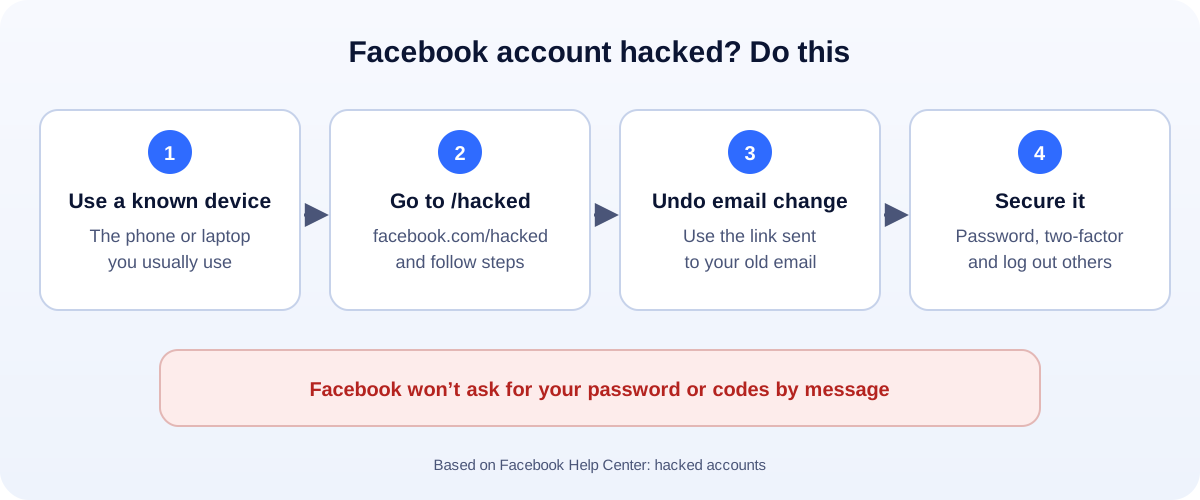
- Use a familiar device. The phone or laptop you normally use for Facebook.
- Go to facebook.com/hacked and follow the steps.
- Email changed? Find Facebook’s message in your old inbox and use the link to undo it.
- Confirm your identity if Facebook asks.
- Once you’re back, change your password, turn on two-factor login and log out of every device you don’t recognise.
A hacked Facebook account is more than annoying. Friends get scam messages “from you”. Your Page and ads can be at risk too. The steps below come from Facebook’s own help pages, in the order that gives you the best chance.
Signs your Facebook was hacked
Facebook lists these warning signs:
- Your profile picture or name changed.
- Posts, comments or messages you didn’t send.
- You can’t log in, or two-factor login stops working.
- Alerts about logins you didn’t make.
- Emails about a changed email address, phone number or password.
If you can still log in, jump to “If you can still get in” below.
Step 1: Go to facebook.com/hacked
Open facebook.com/hacked in a browser. If you can, use a device you’ve logged in with before, on your usual Wi-Fi. That helps Facebook recognise you.
Follow the steps on screen. Facebook will try to confirm it’s you, then help you reset your password and review recent changes.
Step 2: Undo the email change
When someone changes the email on your account, Facebook sends a message to your old email address. It includes a link to reverse the change and secure your account.
- Search your inbox (and spam folder) for recent emails from Facebook.
- Use the link in the message about your email being changed.
- Be careful with look-alike emails. If in doubt, go to facebook.com/hacked directly instead of clicking.
Step 3: If the email and phone are both gone
This is the hardest case, but it’s not hopeless.
- Keep trying from a known device. Facebook may offer other ways to recover the account.
- Confirm your identity if asked. Facebook may ask for a photo of your ID, so it can check the name on the account.
- Use your real name. If your profile name doesn’t match your ID, recovery is much harder. Another good reason to keep your profile accurate.
Do it once and wait. Submitting the same request again and again doesn’t help.
If you can still get in
Move fast:
- Change your password to something long and new.
- Turn on two-factor authentication. An authentication app is safer than text messages.
- Check where you’re logged in. In Accounts Center, open Password and security, then Where you’re logged in. Log out of anything you don’t recognise.
- Check your email and phone in your contact details. Remove anything that isn’t yours.
- Remove apps you don’t recognise from your settings.
- Delete posts and messages the hacker sent, and warn friends not to click them.
Then secure the email account linked to Facebook. If the hacker is in your email, they can come straight back.
Hacked, then disabled?
Hackers often post spam or scams from stolen accounts. Facebook may then suspend the account, even though it wasn’t you.
Log in and appeal from the suspension notice. Say clearly that the account was hacked. Facebook gives you 180 days to appeal a suspension. Our guide to a suspended or disabled Facebook account explains the full process.
Business owners: check your Page and ads
Hackers love Facebook accounts that run ads. Once you’re back in:
- Check Page access. Remove anyone you don’t recognise.
- Check your Business portfolio for new people, partners or ad accounts.
- Look at your ad account for campaigns or charges you didn’t make. Contact your bank about any fraud.
- Read our guides if things went further: a restricted Facebook Page and a disabled Facebook ad account.
Scams to avoid while you recover
- “Recovery experts” who contact you after you post about being hacked. They want money or your login.
- Fake support numbers in search results and comments.
- Messages “from Meta” in Messenger asking for your password or a code. Facebook says it won’t ask for your password this way.
Never share your password or a login code with anyone.
Keep it from happening again
- Use a password manager and a different password for every site.
- Two-factor login on Facebook and on your email.
- Turn on login alerts so you hear about new logins straight away.
- Don’t log in through links in messages. Open the app or type the address yourself.
- Give your team their own access to your Page through your Business portfolio, instead of sharing one login.
How UMA can help
We manage Facebook Pages and ads for small businesses, and set up access properly so one hacked login can’t take everything down. We work remotely with U.S. small businesses and others worldwide. See our social media marketing service or get in touch.
Only Facebook can restore an account. This guide is general information based on the Facebook Help Center.